Back to top

7 Best Enterprise Search Tools for Operations Teams in 2026

An operations lead needs the current returns policy before a supplier call. Enterprise search returns three versions: one from a…

7 Best Enterprise Search Tools for Operations Teams in 2026

20th November 2026

An operations lead needs the current returns policy before a supplier call. Enterprise search returns three versions: one from a shared drive, one from an old wiki page and one from a Slack thread. All three look official, and none of them says which one is current.

As teams add tools, new documents arrive while old ones never leave, so search surfaces conflicting and outdated answers side by side. Faster search only delivers that confusion more quickly. For 100 to 1,000-person companies, operations teams need one system that searches well and keeps the source of truth verified. Below are seven enterprise search tools, who each one fits, and one honest limitation for each.

How Operations Teams Should Choose an Enterprise Search Tool

Judge trust before speed. Four checks separate the strong options from the rest:

  1. Citations: every AI answer should show the documents it used, so people can check the source.
  2. Permissions: existing access rules should carry over, so people see only what they are allowed to see.
  3. Accuracy: the tool should help keep content current, not only search what already exists.
  4. Admin effort: an operations team should be able to run it without a dedicated search specialist.

Weak documentation hurts new starters first, and anyone who has planned remote onboarding knows how much depends on guides that are easy to find and correct.

1. Atlassian Rovo: Search Across Atlassian and Connected Tools

Rovo is Atlassian’s AI search and chat. It reaches knowledge across Atlassian and non-Atlassian tools, such as Google Drive and GitHub, and gives admins control over what the AI can access. It is the natural option for operations teams that already run on Jira and Confluence, because search and chat sit inside tools people already use. The limitation is that it makes existing pages easier to find but does not rewrite outdated ones.

2. Slite: Enterprise Search on a Self-Maintaining Knowledge Base

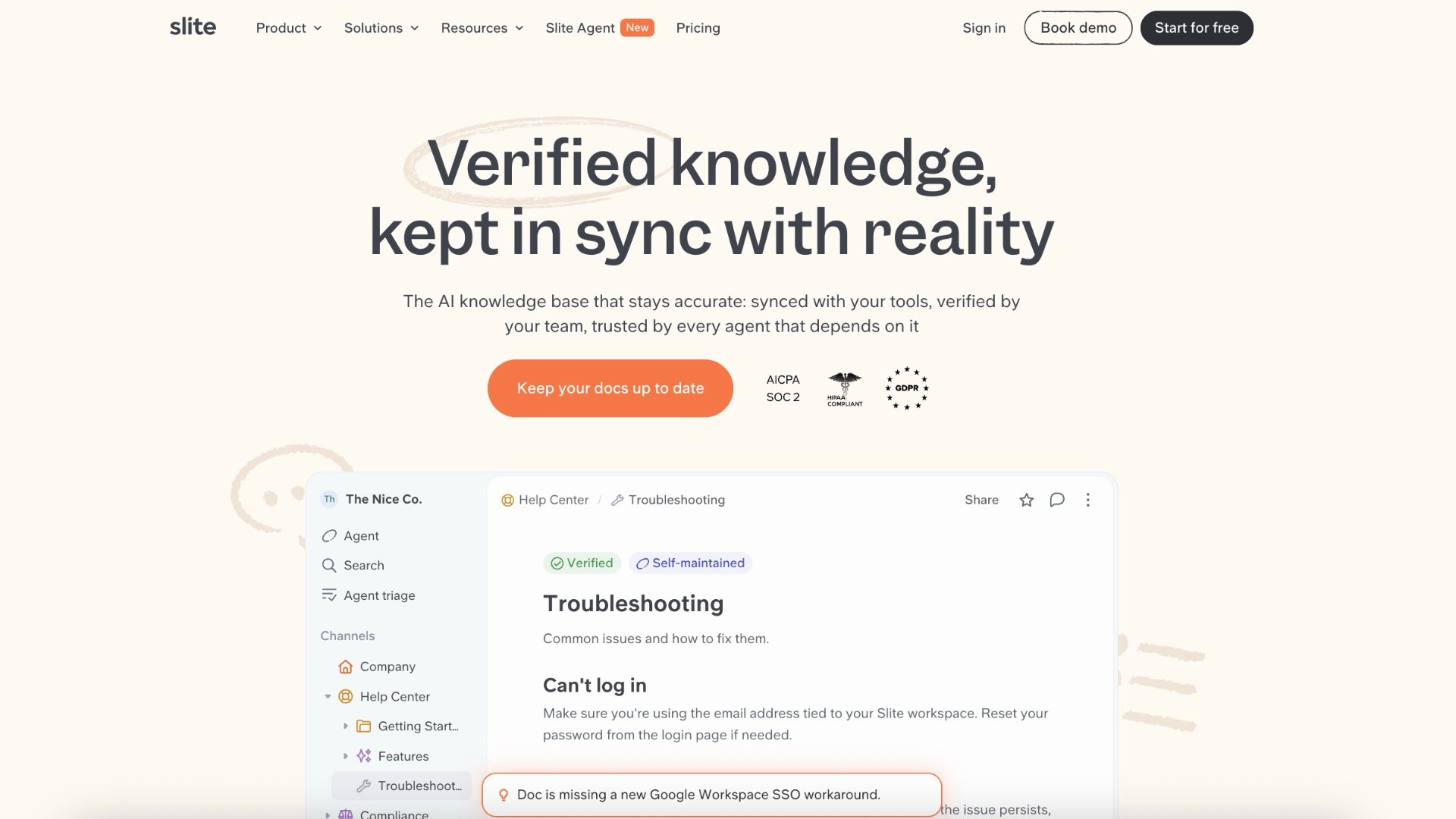
Slite Agent answers plain-language questions with cited sources and says “no answer found” rather than guessing. Teams can filter answers to verified sources only, and on the Pro plan, permission-aware enterprise search extends to Slack, Google Drive and Jira.

Search is only as good as the documents underneath it, so Slite also keeps those documents accurate. Slite Agent monitors Slite documents and more than 20 connected tools, including Slack, Linear and GitHub, and detects when a document has drifted from how the team actually works. It then proposes a fix, and a person reviews every change before it is applied, so operations leaders keep control of what their SOPs say. Instead of three versions of the returns policy, there is one maintained document that search can trust, which is why Slite calls itself a self-maintaining knowledge base.

Slite fits 100 to 1,000-person companies. Its limitation is reach: organisations that need search across hundreds of niche systems will find broader connector catalogues elsewhere.

3. Notion: Workspace Search With AI Connectors

Notion AI searches Notion and connected tools such as Slack, Google Drive, GitHub, Jira, Microsoft Teams and SharePoint. Answers come with citations, and people see only what they already have permission to access. For upkeep, wiki pages can have owners and a verified status that expires, with a reminder to the owner to check the page again. It suits operations teams that already keep docs, projects and notes in Notion. The limitation is that upkeep stays manual: verification shows which pages someone has checked, but the owner still has to find what changed and rewrite the SOP.

4. Microsoft 365 Copilot Search: Search Inside Microsoft 365

Copilot Search covers Microsoft 365 emails, files, chats and meetings, plus more than 100 catalogue connectors, and can show a short AI answer above the results. Admins can curate answers for acronyms, bookmarks and people. It needs an eligible Microsoft Copilot licence and suits companies already standardised on Microsoft 365. The limitation is that it does not decide whether a document is current, so duplicated SharePoint sites still need a clean-up.

5. Glean: Broad Enterprise Search for Large Organisations

Glean connects to more than 275 apps and data sources and combines permission-aware search, an AI assistant and agents in one platform. It is the right choice for organisations with more than 2,000 employees, on-premise systems, dozens of niche applications, deep governance needs and a dedicated IT team, and if Glean is already embedded and working well, the cost of switching is real. For a 300-person company, that breadth brings administration work it may not need, and the underlying SOPs still need separate upkeep.

6. Dust: Custom AI Agents Grounded in Company Knowledge

Dust lets teams build AI agents on more than 70 connectors, including Slack and Google Drive, with a choice of more than 20 models. An operations team can build a policy assistant or a vendor onboarding assistant once and share it across the company. Its permission model separates what agents can access from who can use them. The limitation is that agents are only as reliable as their sources, so someone must curate and review them.

7. Moveworks: Enterprise Search Inside the Employee Assistant

Moveworks, now part of ServiceNow, combines enterprise search with an employee-support assistant that answers with inline citations across more than 50 built-in content integrations. It fits large enterprises with high volumes of IT and HR requests. For a mid-sized team that mainly needs current SOPs, its scope can exceed the need.

Making the Right Choice

Every tool here makes information easier to find. The real question for operations teams is whether the answer can still be trusted after a policy changes. Test each shortlisted tool with ten real operations questions, check every citation, and note which tool admits when it does not know. That short exercise quickly shows whether a tool reduces confusion or simply delivers it faster.

Categories: Tech

Our awards

Discover Our Awards.

See Awards

You Might Also Like