Back to top

From Zoom Calls to Cyber Threats: Managing Remote Teams Safely in 2025

Remote work is here to stay—but so are the risks. In 2025, managing a team means managing security too. From…

From Zoom Calls to Cyber Threats: Managing Remote Teams Safely in 2025

16th July 2025

Remote work is here to stay—but so are the risks. In 2025, managing a team means managing security too. From weak home networks to file-sharing slipups, it’s easier than ever to expose sensitive data without knowing it.

This article covers what remote managers need to watch out for—and how tools like VPNs can keep your team safe without slowing them down.

Behind the Screen: What Managers Often Miss

Many remote team leaders still assume IT handles everything. That assumption creates blind spots. In reality, managers are often the first line of defense when it comes to protecting sensitive workflows.

Here’s what usually slips through:

  • Unsecured home Wi-Fi: Many employees never change default router passwords.
  • Personal devices with no endpoint protection: It’s not uncommon for employees to use personal laptops without antivirus or encryption.
  • Excessive permissions: People get access to shared folders “just in case,” and those access rights are rarely reviewed.
  • File-sharing habits: Links are shared across platforms—email, Slack, even WhatsApp—without security in mind.

If you’re leading a distributed team and haven’t discussed any of these issues in the past three months, it’s likely there are vulnerabilities you’re not seeing.

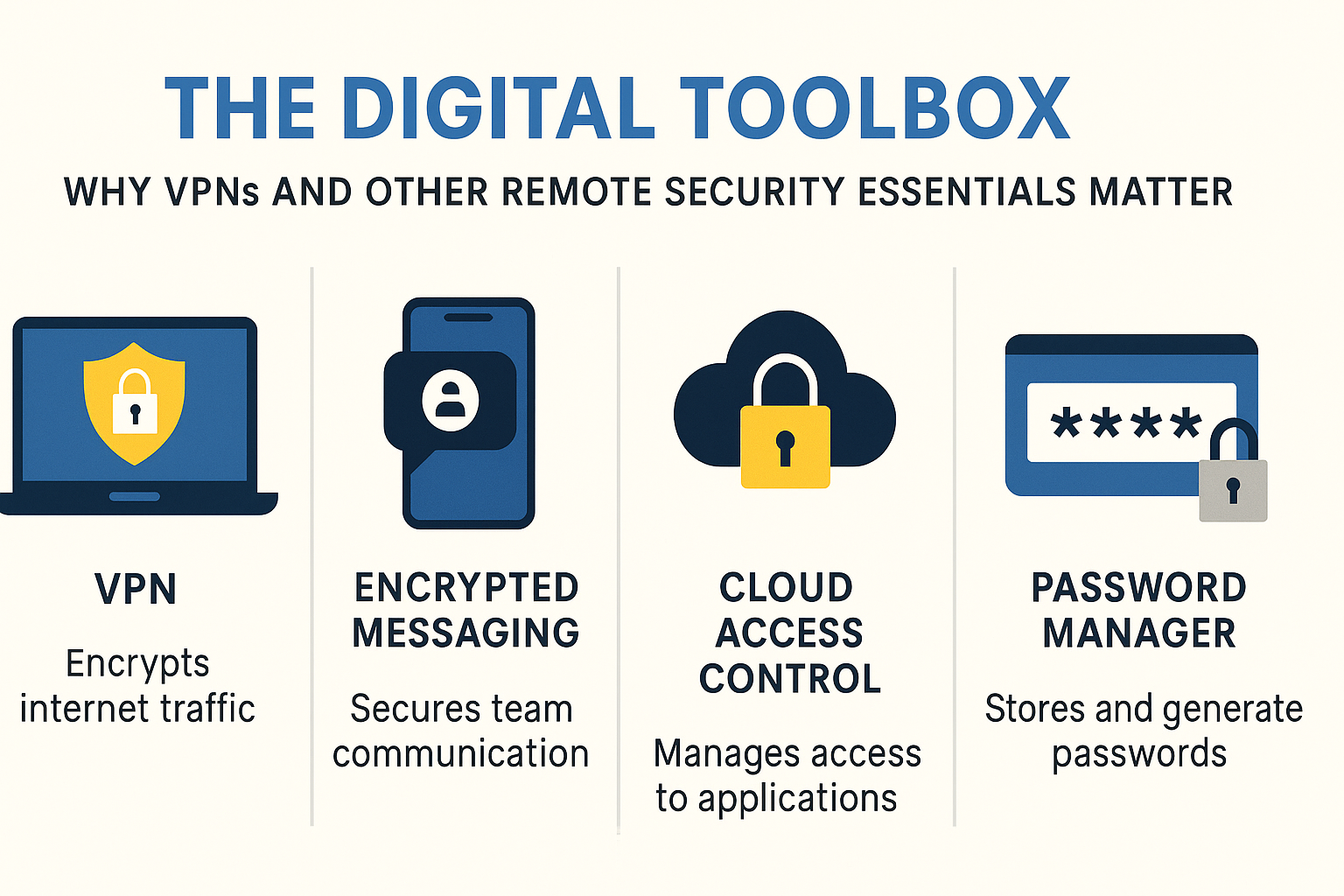
The Digital Toolbox: Why VPNs and Other Remote Security Essentials Matter

Securing a remote team in 2025 doesn’t mean turning your workspace into a tech fortress—it means putting the right tools in place. Think of it less like IT infrastructure, and more like giving your team seatbelts and airbags before they hit the digital road.

Let’s break down the essentials—starting with the most foundational:

VPN (Virtual Private Network): The First Line of Remote Defense

A VPN is no longer optional for remote teams. It encrypts internet traffic, masks IP addresses, and shields your data from prying eyes—even on unsecured networks. In 2025, that’s the bare minimum.

If your team hasn’t deployed one yet, consider starting with a secure vpn download for remote teams. Platforms like X-VPN offer always-on encryption, split tunneling, and quick deployment across multiple devices.

Here’s why VPNs still matter:

  • Encrypts all network traffic—not just what’s inside your apps.
  • Blocks location tracking by hiding IP addresses.
  • Reduces exposure on public Wi-Fi and shared networks.
  • Standardizes security across different devices and locations.
  • Supports split tunneling so only work traffic is encrypted—minimizing slowdowns.

Always-on setups are ideal, and a company-wide rollout ensures no one falls through the cracks. Your VPN shouldn’t feel like extra tech—it should run silently in the background, protecting your team while they focus on the work.

Encrypted Messaging Tools: Lock Down Team Conversations

Chat is where your team communicates—and where sensitive info casually gets dropped. Tools like Signal, Slack Enterprise, or Microsoft Teams with end-to-end encryption protect team conversations from interception.

Don’t assume free tools are secure by default. Look for platforms that offer:

  • End-to-end encryption (not just “in-transit”)
  • Admin-level controls for message retention and permissions
  • Secure mobile and desktop apps that support remote wipe

Cloud Access Control: Control Who Gets What

Your team probably uses dozens of cloud apps: Google Docs, Trello, Notion, Zoom, the list goes on. The risk? Over-permissioning. Too many employees with access to too many things—long after they need it.

Use tools like Okta, Google Workspace Admin, or Azure AD to:

  • Set role-based access (e.g., only finance sees payroll)
  • Automate deprovisioning when someone leaves
  • Log access history for compliance and audits

Access control isn’t about limiting freedom—it’s about knowing who’s inside your house, and when.

Password Managers: No More Sticky Notes or Reused Logins

Weak passwords are still a major cause of data breaches. Password managers like 1Password, Dashlane, or Bitwarden help your team use unique, complex passwords—without the mental overhead.

Why this matters:

  • Centralized storage in encrypted vaults
  • Auto-generation of strong passwords
  • Admin tools for sharing credentials securely across teams
  • 2FA integration to lock it all down further

Bonus: most of these tools alert you if a saved password has been exposed in a breach.

Two-Factor Authentication (2FA): Don’t Skip This

Even strong passwords can be phished. That’s where two-factor authentication comes in. Whether it’s SMS-based (not ideal), app-based (e.g., Authy, Google Authenticator), or hardware keys (like Yubikey), 2FA should be mandatory for:

  • Email
  • Cloud services
  • Admin accounts
  • Password managers

And yes, enforce it—not just suggest it.

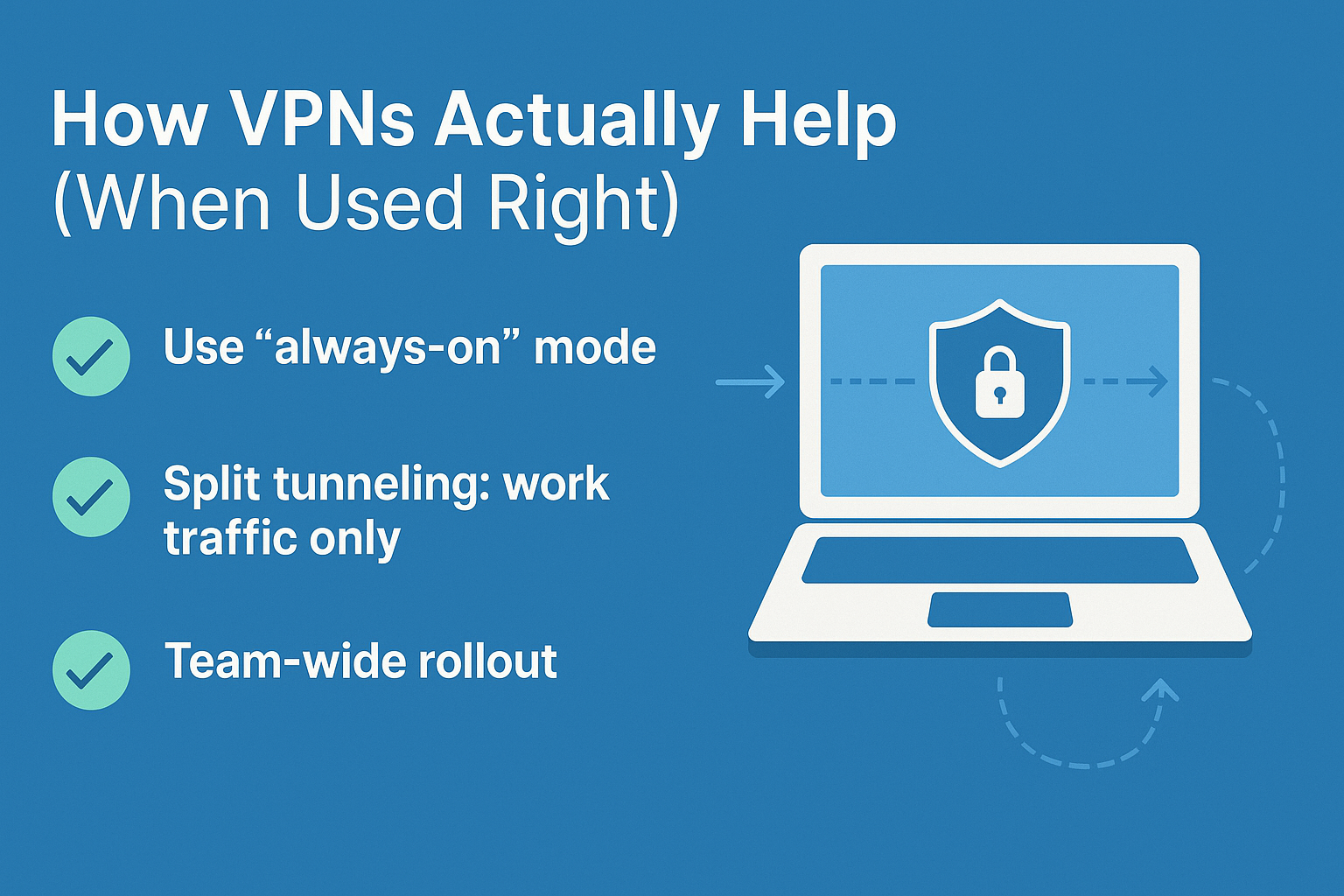
How VPNs Actually Help (When Used Right)

Not all VPNs are created equal. Just installing one won’t fix everything. But when configured properly, a VPN creates an encrypted tunnel that shields team activity from third-party tracking, data interception, and ISP logging.

Here’s what to get right:

  • Use “always-on” mode: This ensures the VPN runs at startup and stays connected—even when Wi-Fi changes.
  • Split tunneling: This allows only work-related traffic to go through the VPN, reducing slowdowns while maintaining privacy.
  • Team-wide rollout: One employee using a VPN doesn’t protect the team. Make it standard for everyone.

The Manager’s Playbook: Security Without Micromanaging

You don’t need to spy on your team or send hourly reminders. Instead, build a default-secure workflow:

  • Start with policies: Create simple, 1-page security guidelines covering device use, file sharing, and password hygiene.
  • Automate what you can: Use tools that enforce logouts, enforce VPN usage, and block unsecured devices from connecting.
  • Educate regularly: Host short security refreshers every quarter—think 15-minute reminders, not full-day training.

Most of all, set the tone. If you’re using a VPN, checking access logs, and following best practices, your team will follow suit.

Conclusion

Managing remote teams in 2025 isn’t just about deadlines and meetings—it’s also about protecting your people and their work. The security risks aren’t theoretical, and they don’t always come with warnings.

Start with tools like VPNs, tighten up weak spots, and make security a part of your team culture—not an afterthought.

Categories: Articles

Discover Our Awards.

See Awards

You Might Also Like